Rank Math SEO Tutorial: How to Score a Perfect 100 on Chinese Content!?
Meow meow everyone, it’s me, Mydondon! Today we’re going to take on a challenge: scoring a full 100 points on a post inside the Rank Math SEO plugin! You might not even know what Rank Math SEO is yet, right? Basically, it’s a tool that helps you write a Google-friendly article while you’re writing for the web, so that your post is easier to find when people search for it, which in turn gets you a better ranking. In this post I’ll walk you through, step by step, how to write a good article while challenging myself along the way, because honestly I’ve never actually written a 100-point article before ( in fact, for free Rank Math users this is downright impossible to pull off, and you’ll see why in a minute ), but I do know how it’s done. So let’s get started!
1. Before you can score 100 in Rank Math, you must…
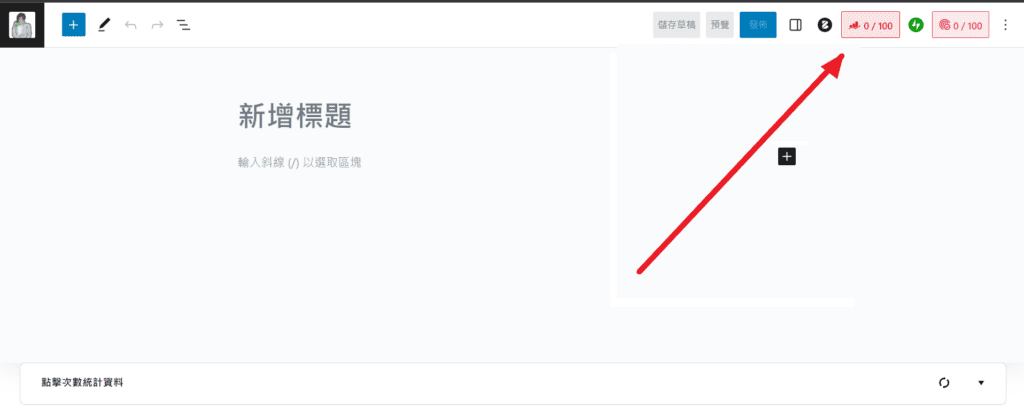
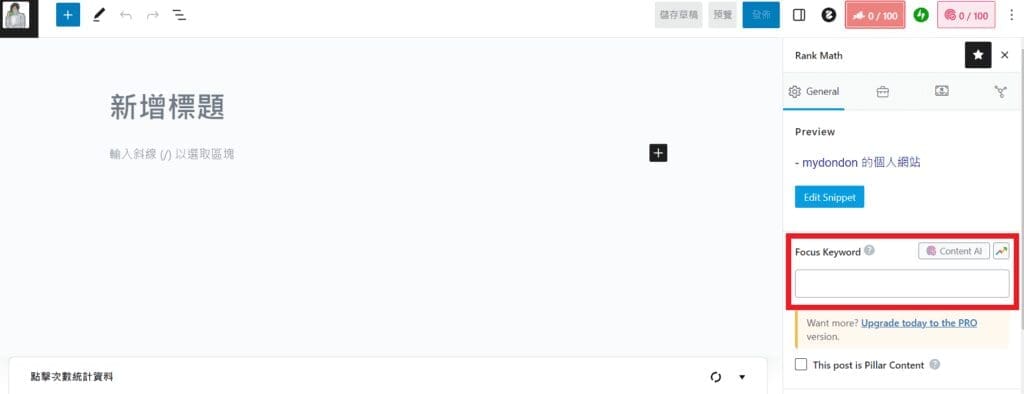
Right at the very beginning, you should first decide on a keyword, and this keyword has to be the biggest focus of your article, or the topic you want to discuss. For this post, for example, I’d probably go with Rank Math or Rank Math SEO. If you were writing a travel post, it might be something like Taiwan travel, travel, Taiwan attractions, and so on. Of course you could also pick some random gibberish keyword, but that definitely won’t do you any good. The spot where you enter these keywords is in the box shown below. Also, this keyword cannot be one you’ve used before. And you can add up to 5 keywords, but the first one will be treated as the main one.
2. The Title
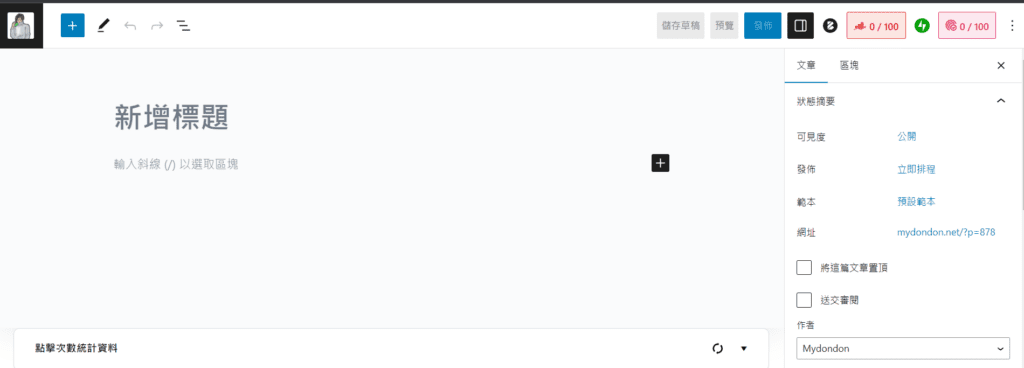
Okay, after you’ve entered your keyword you might notice you still haven’t gotten a score, and that’s because your article doesn’t have any content yet. But don’t worry, let’s write the title first! For me, the title is the most important thing, and when I write an article I usually decide on my title first. The conditions I mention in this tutorial are the bare minimum you should hit, that is, the things you should satisfy to be SEO-friendly. But that doesn’t mean people will love your article, so while you meet the conditions below, you should also pick ( even though I really hate doing this ) a title that better grabs the audience’s attention — it’s all to put food on the table, right :> .
Okay, here are the things you need to watch out for:
1. The keyword you enter should appear in the title you set in step one

Take this article as an example: I put my keyword right at the front, and even wrote it twice — that’s the best approach. And if you can, place your chosen keyword as early as possible.

2. Try to put your keyword as close to the front as possible

Because if your title is really long, it might get cut off like in the picture below, and if that happens your audience might not even see your keyword. Google really doesn’t like that, so it tends to prefer articles with the keyword up front. So, as Google’s good little doggo, you should try to put the keyword right at the beginning.

3. Your title needs to contain a number

Ok, I don’t really know why this one matters either, but if you check Rank Math’s official site, they mention that credible studies show adding a numeral to your title can make the article easier to recommend, i.e. get a better ranking. So since it costs you nothing, why not give it a try?
3. The Body
If you’ve set up your title and keyword properly, you should already have roughly 40~50 points by now. Congratulations, you’ve already beaten about 60% of the websites out there! But that’s nothing to celebrate yet — you still have a long way to go. More importantly, the body is the real heart of this article, and there are plenty of little details to pay attention to. I used to just happily write without paying any attention, and I almost ended up eating dirt. So please, listen to this old-timer’s advice~ Don’t pour in tons and tons of time only to get nothing out of it.
1. Your keyword should appear in the SEO description

You might not know what this means, but I can tell you the easiest way to do it: just mention your keyword once more in the first paragraph of every article. Because Rank Math automatically treats the very beginning of your article as your SEO description, so you don’t even have to set it yourself.
2. Include your keyword in the first 10% of the body

If you completed the first step, you should hit this one at the same time. And if you didn’t, well, I think I’ve explained it clearly enough, so I trust you already know what you should be doing.
3. Your body must be over 600 words long

If an article is too short, or the whole thing is nothing but images, it might be judged as not being a very good article. So the general recommendation is that every article should be over 600 words. Of course, this is also a very easy goal to hit, and if you can’t quite manage it yet, just practice a bit more! If it still doesn’t work out, maybe you should find some more meaningful topics to discuss, or dig deeper into the topic. But you’ll notice that Rank Math is specifically designed for English content, so this condition runs into problems when judging Chinese content. So you’ll need to use third-party software or websites to count your own word count. If you use Word or Google Docs, they have a built-in word counter, or you can copy your article and paste it into word counter to easily find out the total word count.
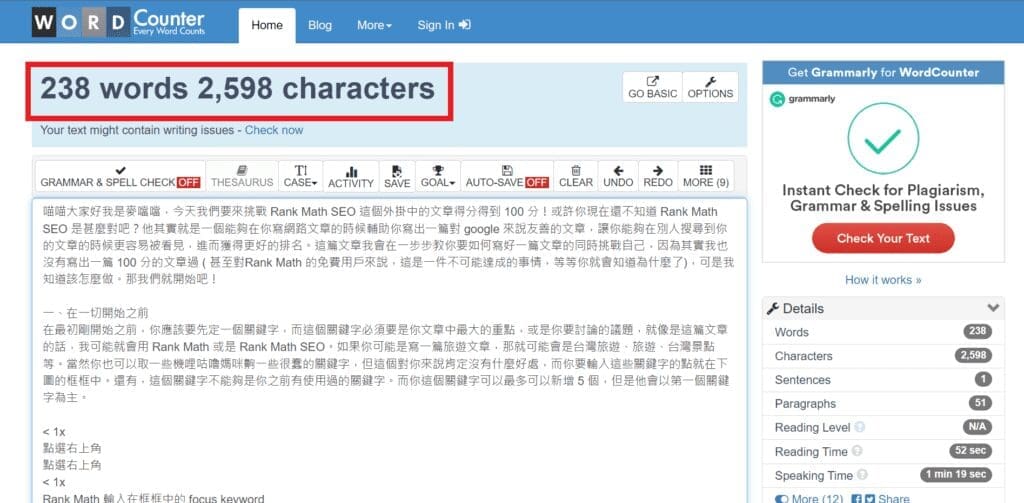
For instance, I dropped the progress I’ve written so far into word counter to count it, and it came out to 238 words and 2,598 characters, where each Chinese character counts as one character, and each English letter also counts as one character. From that you can easily estimate how many words your article has. See? It’s super easy to get past 600 words!
4. Your subheadings should contain your keyword

Among all your subheadings, at least one of them should contain your keyword, so that Google can find them and organize them under the search result, just like in the example below.
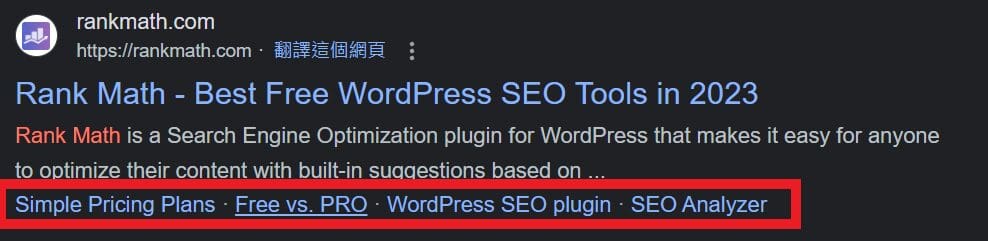
Setting up subheadings is a really important thing. Not only does it make your article well-organized, it also helps your audience better understand what’s in your article right from the search page. Although I’d already accomplished this task by the time I was writing this article ( and I hadn’t even typed the keyword into a heading yet ), I still went ahead and put the keyword into one of the headings, as shown below.
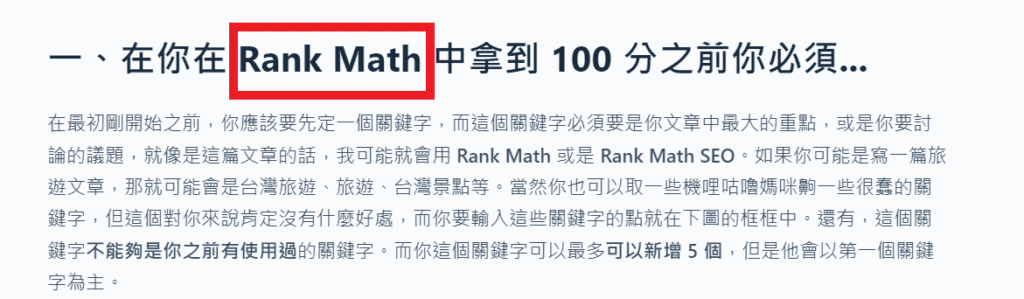
5. Your keyword density should be around 1% of the whole article

This one’s easy to understand. If you include your keyword too few times in your article, it means your article might not have much to do with the topic — in other words, you picked the wrong keyword. If you include it too many times, it might look like you’re deliberately trying to fool the search engine into giving your article better exposure. Neither of these is what Google wants. To avoid Google misjudging you, you need to control the density of keyword mentions in your article — not too many, not too few. But again, because Rank Math is designed for English content, its judgment here is a little off. So my advice on this condition is to not worry about it too much; as long as you’re not forcing it, you basically won’t go overboard. Alternatively, you can use pronouns like “it,” “this thing”… to keep the keyword density from getting too high.
6. Your paragraphs are a moderate length and not too long

If your article is overly long-winded, you should break it into paragraphs, otherwise it makes your article hard to read. Your article should also be properly divided into paragraphs, just like a school essay. Doing this makes your article easier to read and increases how long your audience stays.
4. Links Within the Article
1. Your article needs at least one external link

When you’re writing an article, you’ll often run into a situation where you want to recommend some articles, references, or your own social links, and that’s when we add some links. So Google wants you to do this too. And please remember, this doesn’t include embedded content — sometimes a YouTube link you paste gets automatically converted into an embed in WordPress, and that won’t be detected by Rank Math. But the text content of a hyperlink does count, just like what I did in the section above. I’d also recommend that you set your hyperlinks to open in a new window, so that visitors spend longer on your site ( since your article is still open, after all ), which also helps your site’s ranking.
Of course, the more links in your article the better, so here’s a link to my IG — maybe now that you’ve read this far you should click through and give it a follow, haha. Over there I share my latest articles, including food, travel, or website-building tutorials like the one you’re reading now. If you’re interested, hurry over and take a look!
My IG link: https://www.instagram.com/hikids1010/
2. Your article must have at least one DoFollow link

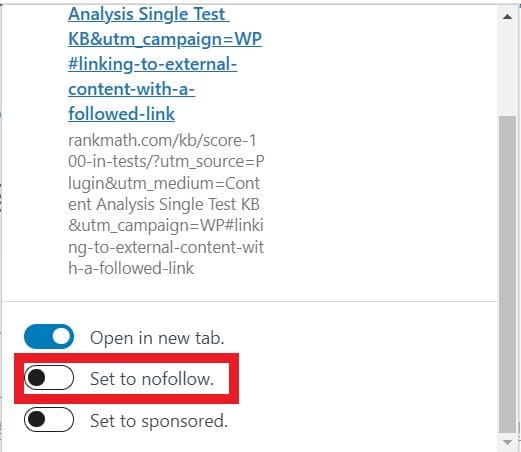
Also, when publishing an article, at least one link should be a DoFollow link. As I understand it, a DoFollow link is one that search engines can crawl and follow, while a Nofollow link is the opposite. This detailed article covers the other details, so if any of you are interested, go check it out.
And if you don’t want a particular link to be DoFollow, you can set that in the link’s options.
3. Your article must have one internal link

If a good article has lots of recommended external links, then a good article must have also written plenty of other good articles worth recommending, right? So an article should also include a fair number of links recommending your own other articles, no? Doing this has plenty of benefits, and the main one is that it keeps your audience on your site longer, creating more opportunities to serve ads. The best approach is to recommend other related articles you’ve written at the very end of the post. You can add them yourself, or use a plugin like YARPP to automatically insert related articles — hey! As it happens, I’ve also written a tutorial on YARPP, so go check it out! ( internal link +1 )
4. The article’s URL should be as short as possible

No matter the situation, your URL should be as short as possible. From the audience’s point of view, a link that’s too long is harder to remember. It also takes up a lot of space when shared, or just looks ugly. Plus, overly long links usually contain a lot of meaningless text, so when setting up your link you should stick mainly to English ( a single Chinese character adds a lot of length to the link ) and keep it as short as possible.
5. The article’s URL should contain the keyword you set

You’ve already included your keyword in the title, the subheadings, and the body, so how could the URL be missing it?
5. Images and Videos
1. Your article should contain at least 4 images or videos

A picture is worth a thousand words. A single image can make it much easier for everyone to understand what you’re actually trying to say. So you should add at least 4 images or videos to an article to help everyone understand your content, which can also boost your site’s ranking.
2. Your image alt text needs to contain your keyword

Adding your keyword to an image’s alt text can boost your site’s ranking. So-called alt text is what gets displayed in place of an image if the image breaks for any reason, and at the same time it’s also what Google looks for when you do an image search. Surprising, right? In the end it’s still text that helps search for your images, XD. Though that might change in the future, of course, since AI is getting more and more powerful these days.
6. Other
1. You use a table-of-contents plugin to build a TOC for your article

Using a table-of-contents plugin makes it easy for your audience to know right from the start what your article is actually about. Just like a good book has a good table of contents, an article should also have a good table of contents. This is where a TOC plugin can easily auto-generate your article’s table of contents, just like the one you saw when you first started reading this article.
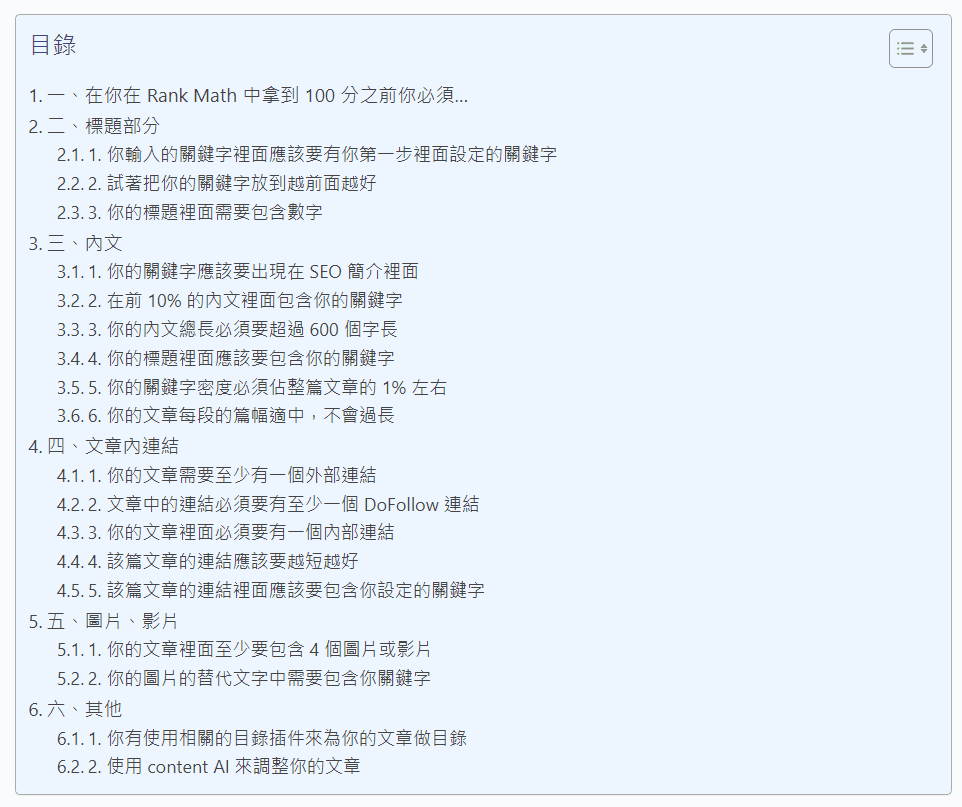
Guess what? I’ve also written an article teaching you how to set up and build a TOC plugin from scratch. If any of you don’t know how yet, be sure to go check it out!
2. Use Content AI to fine-tune your article

Content AI is a feature offered by Rank Math that uses their own AI tools to help you write an SEO-friendly article, and it can also suggest keywords for you to use. However, this feature costs money, and from what I read in their official articles it doesn’t seem like it’ll boost your article’s ranking either — it can only give you some meaningful suggestions. Even if it really could improve rankings, I doubt it’d be by much. That said, I haven’t really looked into this feature, since I’m just a poor broke college student. I might not even have enough left for a single month of server rent :> . But! You can do me a favor — see those ads on the screen? Clicking one open earns me a little revenue, so if you found this article helpful and you’re interested in that ad, go ahead and click it for me! Thanks~
8. Closing Thoughts and the Challenge Result
Alright, thanks for reading all the way to here! Finally, I’m sure you’re curious about how many points this article ended up scoring, right? In the end, I got 77 points. The parts I didn’t hit were word count, keyword density, keyword-in-URL, and Content AI — two of which I’d technically already met and even far exceeded. As for the links, it’s because my links all follow a fixed format, and adding the keyword in there would make my articles harder to organize; the other is simply because I’m broke. Of course, this score is only for reference, so don’t be too hard on yourself, otherwise you’re not really writing an article anymore — it just feels like turning in homework. Okay! Thanks for watching, and I’ll see you in the next article!